LifterLMS has a strong free core – unlimited courses, memberships, and students with no spend. The limitation is monetization.
Accepting Stripe or PayPal requires the Earth bundle at $199/year intro ($398 on renewal). Email marketing, advanced quizzes, gradebook, and social learning sit in higher bundles at $299–$799/year intro, $598–$1,598 on renewal.
The three plugins below each include payments at a lower price – one includes Stripe, PayPal, multi-currency, AI course creation, certificates, and reviews at no cost at all.
3 Best LifterLMS Alternatives: Comparison at a glance
| Plugin | Free tier | Paid from | AI course creation | Frontend course builder |
|---|---|---|---|---|
| LifterLMS | Yes — courses only, no payments | $199/yr intro ($398 renewal) | Not included | No |
| Masteriyo | Yes — courses + payments + AI | $99/yr intro ($199 renewal) | Free tier (own API key) | No |
| LearnDash | No | $199/yr (all-in) | Not included | Elite only ($599/yr) |
| Tutor LMS | Yes — courses + commission system | $199/yr | Pro only ($199/yr) | Pro only ($199/yr) |
1. Masteriyo – AI Course and Quiz Builder on the free tier
Masteriyo is the most direct LifterLMS replacement on this list. Its free tier includes a course builder, unlimited lessons and students, an advanced quiz builder, progress tracking, Stripe and PayPal payments, multi-currency, certificates, course reviews, Q&A per lesson, wishlist, and a one-click migration tool from LifterLMS. Most of those features cost extra on LifterLMS.

The standout feature is AI course creation on the free plan. Provide your own OpenAI API key and Masteriyo generates course outlines, lesson drafts, and quiz questions. LifterLMS has no native AI integration at any tier — you’d need a third-party plugin. For a creator validating a new course idea before spending anything, that changes the economics of testing.
The course builder runs on React and lives in the WordPress admin alongside Gutenberg. It loads fast and responds without page reloads. The setup wizard gets a new site ready in under a minute.
Premium plans start at $99/year intro ($199 on renewal) and add a gradebook, multi-instructor with revenue sharing, Razorpay, advanced quiz types, and deeper email integrations with Mailchimp, Brevo, and HubSpot. Live chat support is included from the entry plan — LifterLMS doesn’t offer this on its base tier.
Where it earns the top spot: the free tier is genuinely complete. Most course creators can launch, sell, and manage a full catalog without spending anything. When LifterLMS users run the cost comparison after their first renewal cycle, the gap usually closes the decision.
Key features:
- AI course outlines, lesson drafts, and quiz generation — free tier (Requires your OpenAI API key)
- One-click migration from LifterLMS (included on every plan)
- Stripe, PayPal, and multi-currency — free tier
- Certificates, reviews, Q&A, wishlist — free tier
- Premium from $99/yr intro — less than a single LifterLMS add-on
Price: Free. Premium from $99/year intro ($199 on renewal).
2. LearnDash — no free tier, starts at $259, features ladder across three tiers
LearnDash has no free tier and structures its features across three tiers: Essentials ($259/yr), Pro ($399/yr), and Elite ($599/yr). The core course building tools — drag-and-drop builder, quizzes, memberships, Stripe and PayPal payments, certificates — are all in Essentials. AI course outlines and quiz generation require Pro. The frontend course builder and multi-instructor management require Elite.
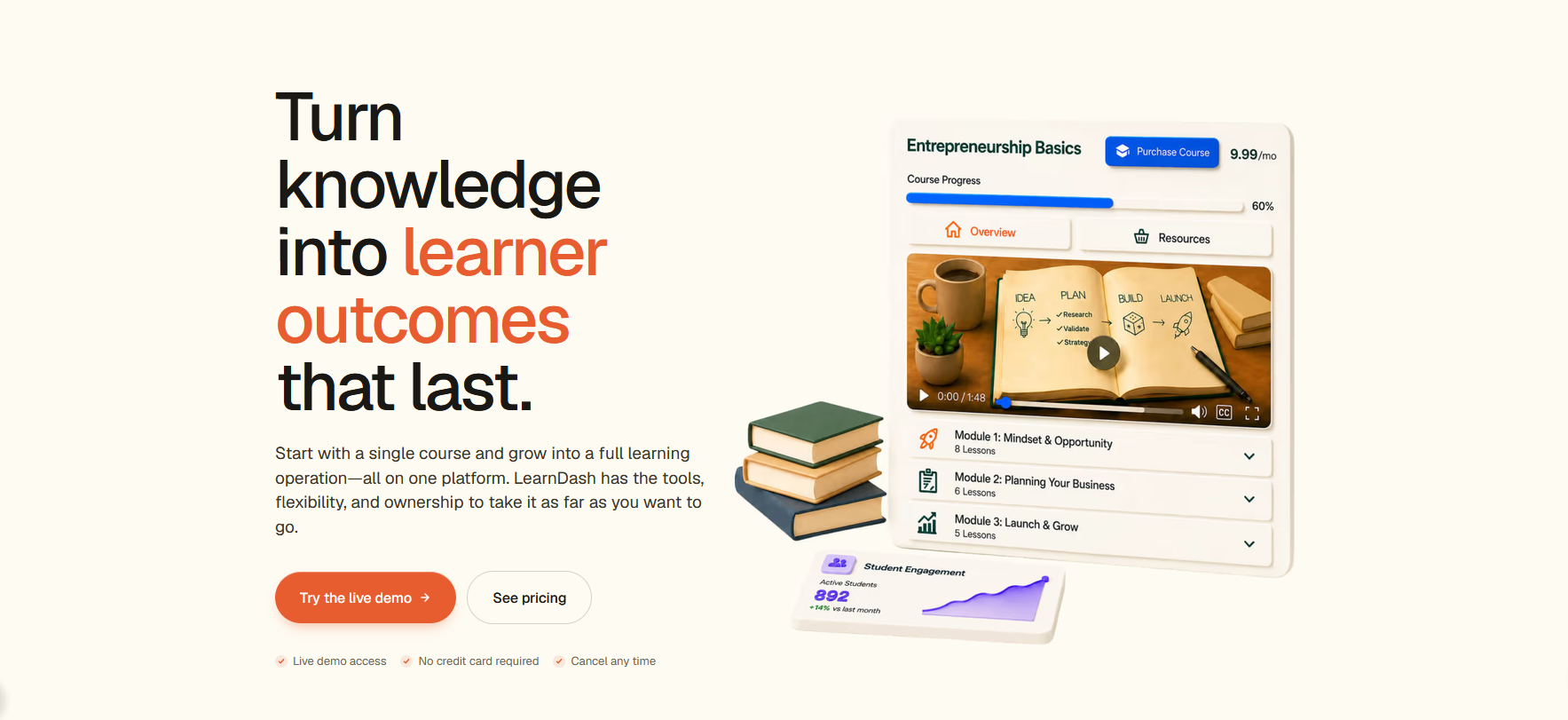
For LifterLMS users on the Universe bundle ($598/year on renewal), LearnDash Essentials at $259/year is cheaper. The course creation wizard imports from a YouTube playlist. Content drip, SCORM/xAPI support, and video progression are included in Essentials. BuddyPress, bbPress, and MailChimp integrations are available via third-party add-ons.
The frontend course creator is Elite-only ($599/yr). It lets administrators and instructors build and edit courses without entering wp-admin. One limitation carries over from the earlier implementation: new quizzes cannot be created through the frontend builder and must be built in the backend first. For multi-instructor platforms where contributors manage their own assessments, Tutor LMS’s fully frontend quiz creation is the cleaner fit at a lower price point.
Where it earns its place: Established course businesses that need structured cohorts, weighted grading, report cards, and enrollment tracking — all available from Pro ($399/yr). The YouTube playlist import and SCORM support at the Essentials tier are genuinely useful for creators migrating existing content from other platforms.
Key features:
- Essentials ($259/yr): YouTube playlist import, SCORM/xAPI, certificates, Stripe + PayPal
- Pro ($399/yr): AI course outline and quiz builder, advanced reporting, weighted grading, cohorts
- Elite ($599/yr): frontend course builder, multi-instructor management, ratings and reviews
Price: Essentials $259/year · Pro $399/year · Elite $599/year.
3. Tutor LMS — commission system free, frontend builder and AI on Pro
Tutor LMS is the pick for course marketplaces where instructor revenue sharing matters. The earning and commission system — which lets you run a platform where instructors keep a percentage of sales — is included in the free tier. Neither LifterLMS (requires Universe bundle) nor LearnDash (no commission system at any tier) offers this for free.
TThe earning and commission system is included in the free tier, letting you run a marketplace where instructors keep a percentage of sales automatically. LearnDash has no commission or marketplace system at any tier. LifterLMS requires the Universe bundle for revenue sharing add-ons. On Tutor LMS, it is free.
The student and instructor dashboards are included in the free tier, customisable per role. The frontend drag-and-drop course builder is Pro only ($199/yr), as is AI Studio, content drip, certificates, live classes, and email marketing. For multi-instructor platforms where instructors need frontend course creation without wp-admin access, that capability requires the Pro upgrade — but the commission infrastructure to support them is free.
Where it stands out: Course marketplace operators who need commission and earning allocation without paying extra. At the free tier, you can run a multi-instructor platform with revenue sharing, basic analytics, and unlimited students. The frontend builder to go fully wp-admin-free requires Pro, but the marketplace infrastructure itself does not.
Key features:
- Earning and commission allocation — free tier
- Unlimited courses, students, and instructors — free tier
- Student and instructor dashboards — free tier
- Frontend drag-and-drop course builder — Pro only ($199/yr)
- AI Studio, content drip, certificates, live classes — Pro only
Price: Free. Pro from $199/year (Individual, 1 site).
Choosing a theme for your online course site
A course plugin handles the content and enrollment. The theme determines how your catalog and student dashboard look to prospective students. Zakra has five LMS-ready starter demos built for online learning platforms.
- Online Course — course catalog with featured courses, Elementor (free)
- Online Course 02 — instructor profiles layout, Gutenberg
- EduSkill — skills-based course platform design, Gutenberg
- eGuru — instructor-led learning platform layout, Gutenberg
- Learnart — creative course platform, clean grid layout, Elementor
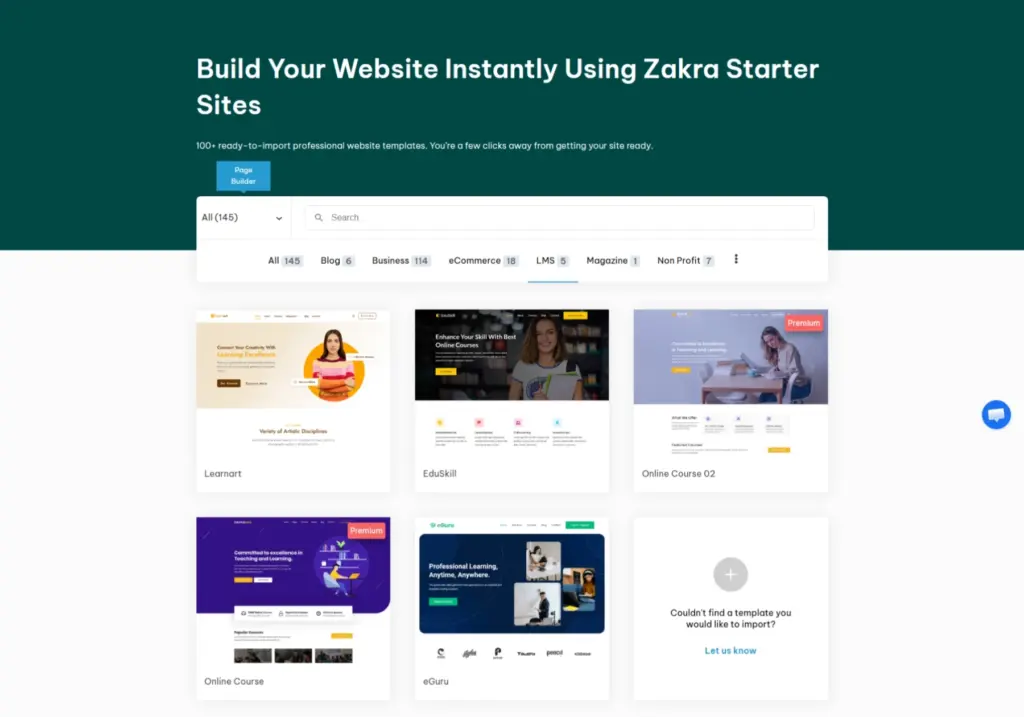
All five work with Masteriyo, LearnDash, and Tutor LMS. Browse all 145 Zakra starter sites
Frequently asked questions
Is Masteriyo free? The core Masteriyo plugin is free and includes a full course builder, unlimited lessons and students, AI course creation (using your own OpenAI key), Stripe and PayPal payments, multi-currency, certificates, Q&A, reviews, wishlist, and a one-click LifterLMS migration tool. The premium tier starts at $99/year intro and adds gradebook, multi-instructor with revenue sharing, and advanced email integrations.
Is LearnDash worth the price? For solo creators, Masteriyo’s free tier covers most ground at no cost. LearnDash Essentials ($259/yr) makes sense for established course businesses that need SCORM content, YouTube playlist import, and a clean upgrade path to cohorts and grading. For LifterLMS users on Universe or Infinity renewals ($598–$1,598/yr), even LearnDash Pro ($399/yr) is cheaper and includes more structure.
What is the difference between LearnDash and Tutor LMS frontend builders? LearnDash’s frontend builder is Elite-only ($599/yr) and still requires backend quiz creation — quizzes must be built in wp-admin before they can be attached via the frontend. Tutor LMS’s frontend builder is also Pro only ($199/yr) — it is not available in the free tier. The key difference from LearnDash is that Tutor’s frontend builder includes quiz creation, while LearnDash’s requires quizzes to be built in the backend first. Both require the paid tier to access the frontend builder at all.
Some links in this post are affiliate links. If you purchase through them, we may earn a commission at no extra cost to you.